
Bass Tab Studio
Sube una canción y obtén la tablatura de bajo sincronizada en minutos. La inteligencia artificial aísla el bajo y lo convierte en notas que puedes escuchar, practicar y corregir.
Míralo en acción
Cómo funciona
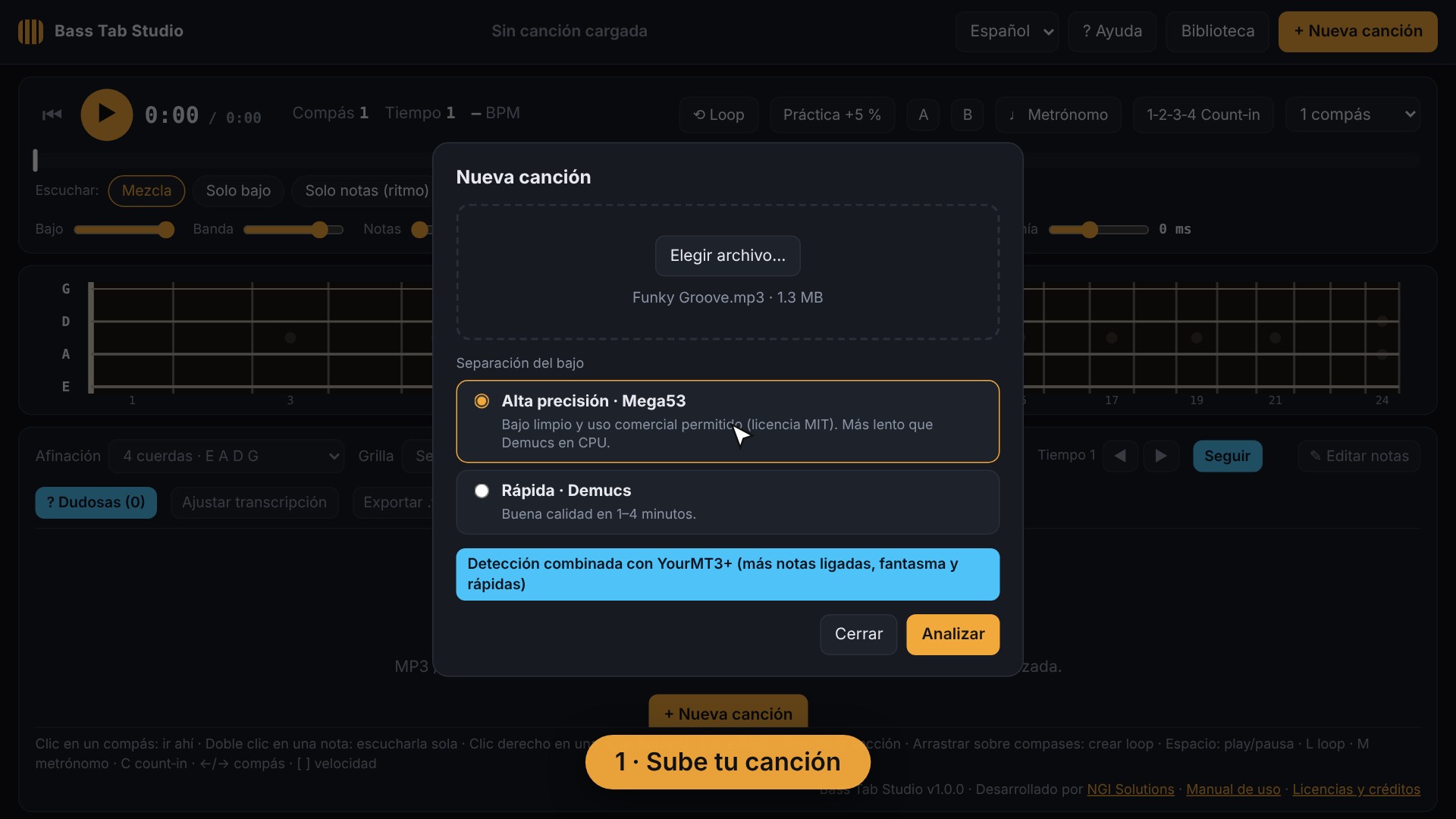
1. Sube tu canción
MP3, WAV, M4A o FLAC. Elige el archivo y pulsa Analizar.
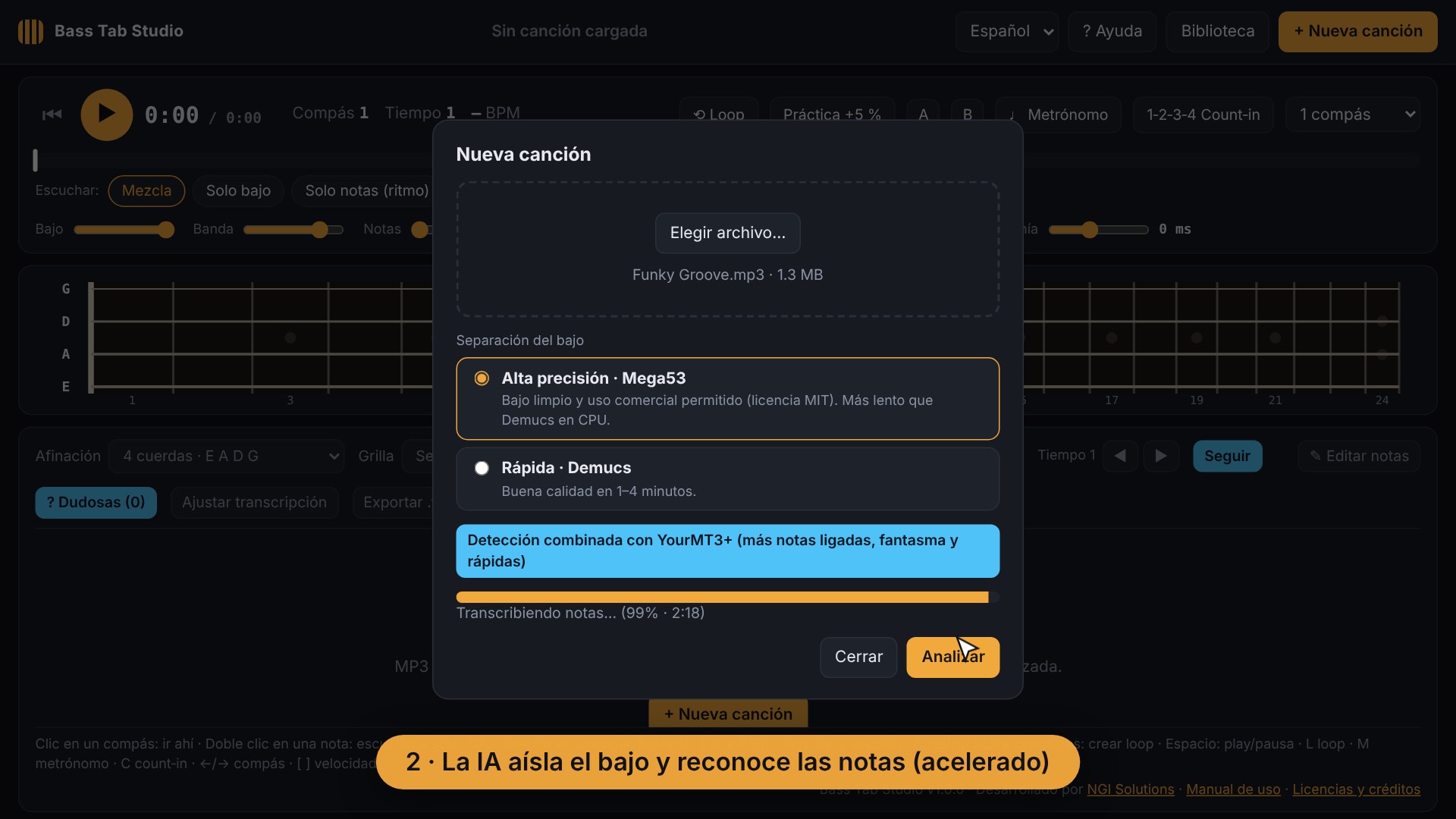
2. La IA aísla el bajo
Separa el bajo del resto de la banda y reconoce cada nota, su ritmo y sus compases.
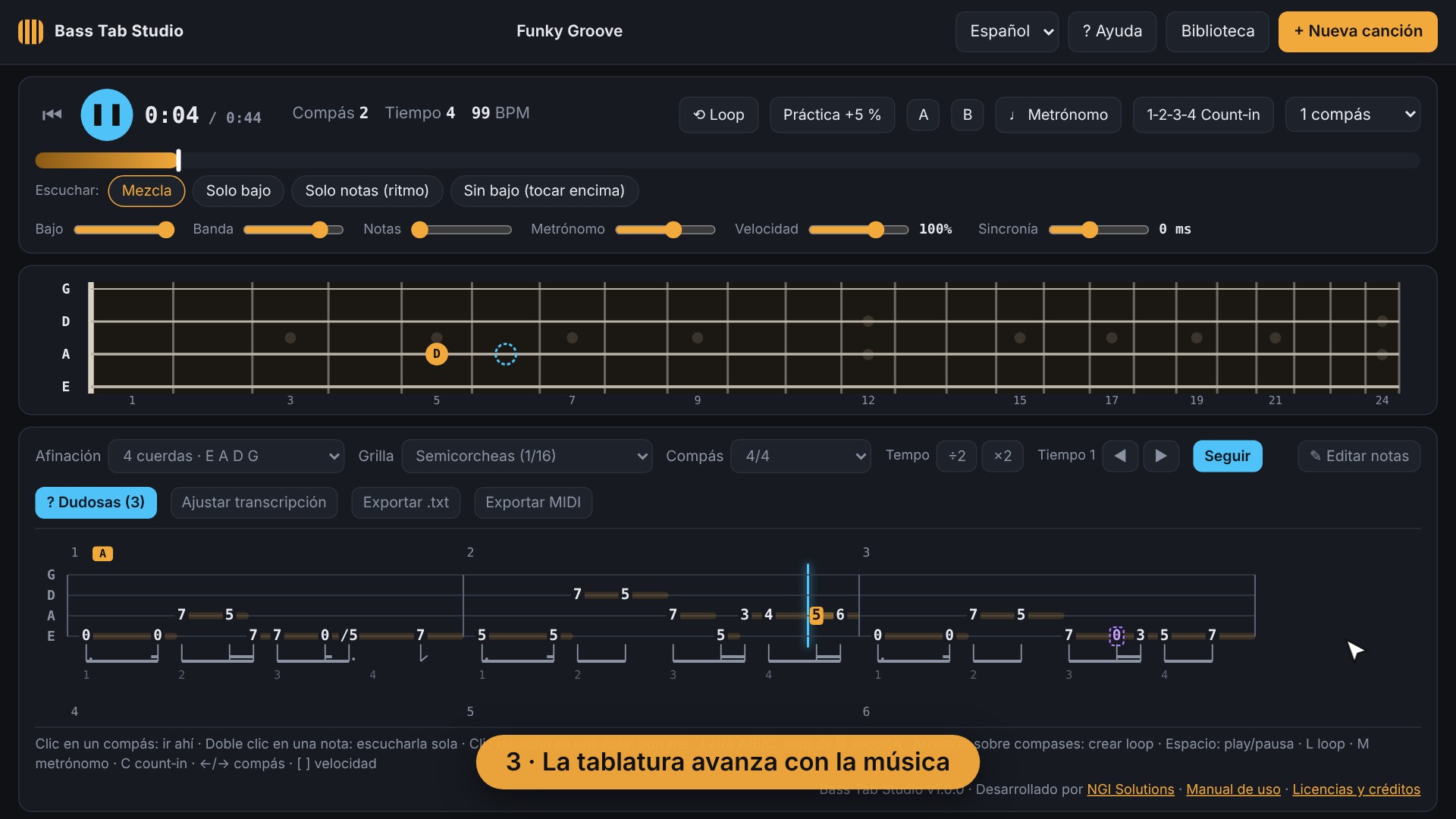
3. Practica con la tablatura
La tablatura avanza con la música. Repite partes en loop, baja la velocidad y toca encima.
Todo lo que necesitas para sacar canciones
🎧 Escucha como quieras
Solo el bajo, sin el bajo para tocar encima, o solo las notas para entender el ritmo.
🔁 Loop y velocidad
Repite cualquier fragmento y bájale la velocidad hasta 40 % sin cambiar el tono. Modo práctica que sube la velocidad en cada vuelta.
🥁 Metrónomo y cuenta previa
Alineados con los compases de la canción.
✏️ Edita las notas
Corrige, agrega o mueve notas con el diapasón. Las notas dudosas se marcan para que las revises a oído.
📤 Exporta
A texto para imprimir o a MIDI para Guitar Pro, TuxGuitar, MuseScore o tu DAW.
🔒 Todo en tu PC
Tus canciones no se suben a internet. 4, 5 o 6 cuerdas y afinaciones alternativas.
Precio
US$15
Pago único · licencia de por vida para 1 computadora · actualizaciones incluidas
Tarjeta o PayPal · garantía de devolución de 14 días
Requisitos
- Windows 10 u 11 de 64 bits
- 8 GB de RAM (16 GB recomendado)
- Unos 6 GB libres en disco
- Internet para instalar y activar la licencia
- Tarjeta NVIDIA opcional: el análisis es mucho más rápido
Preguntas frecuentes
¿Cómo activo mi licencia?
Al comprar recibes la clave por correo. Instala la aplicación, ábrela y pega la clave en la ventana de licencia.
¿Puedo pasarla a otra computadora?
Sí. En la app ve a Licencia → Desactivar en este equipo y actívala en la nueva.
¿Funciona sin internet?
Sí. Solo necesita internet para instalarse y para verificar la licencia; funciona hasta 7 días seguidos sin conexión.
¿La tablatura sale perfecta?
Es muy precisa, pero ninguna IA es perfecta: alguna nota puede faltar o sobrar. Por eso la app marca las notas dudosas y te deja corregirlas fácilmente.
¿Y si no me funciona?
Tienes 14 días de garantía de devolución. Escríbenos desde Contact us y te ayudamos.
Bass Tab Studio
Upload a song and get a synced bass tab in minutes. Artificial intelligence isolates the bass and turns it into notes you can listen to, practice and fix.
See it in action
How it works
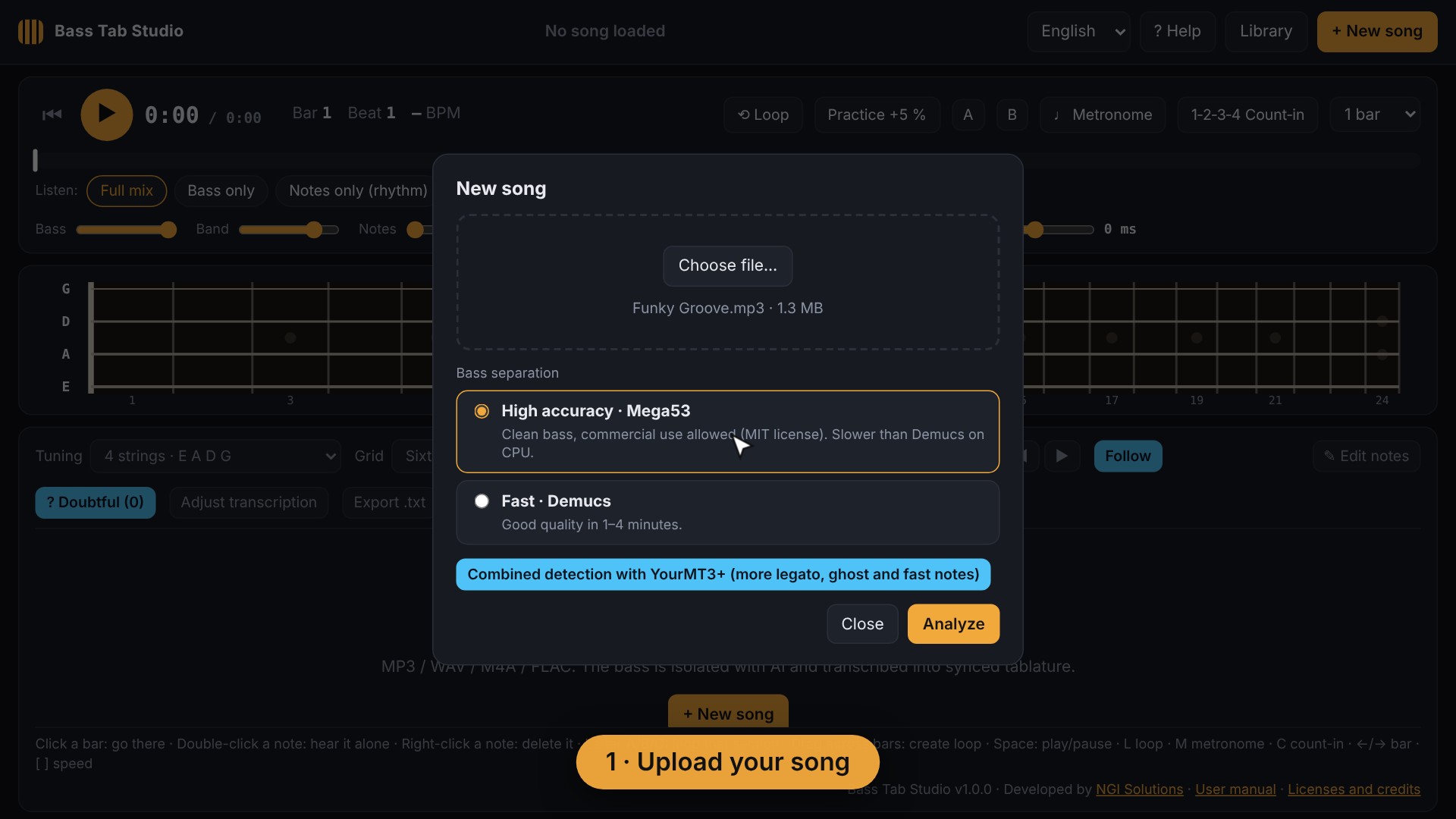
1. Upload your song
MP3, WAV, M4A or FLAC. Choose the file and click Analyze.
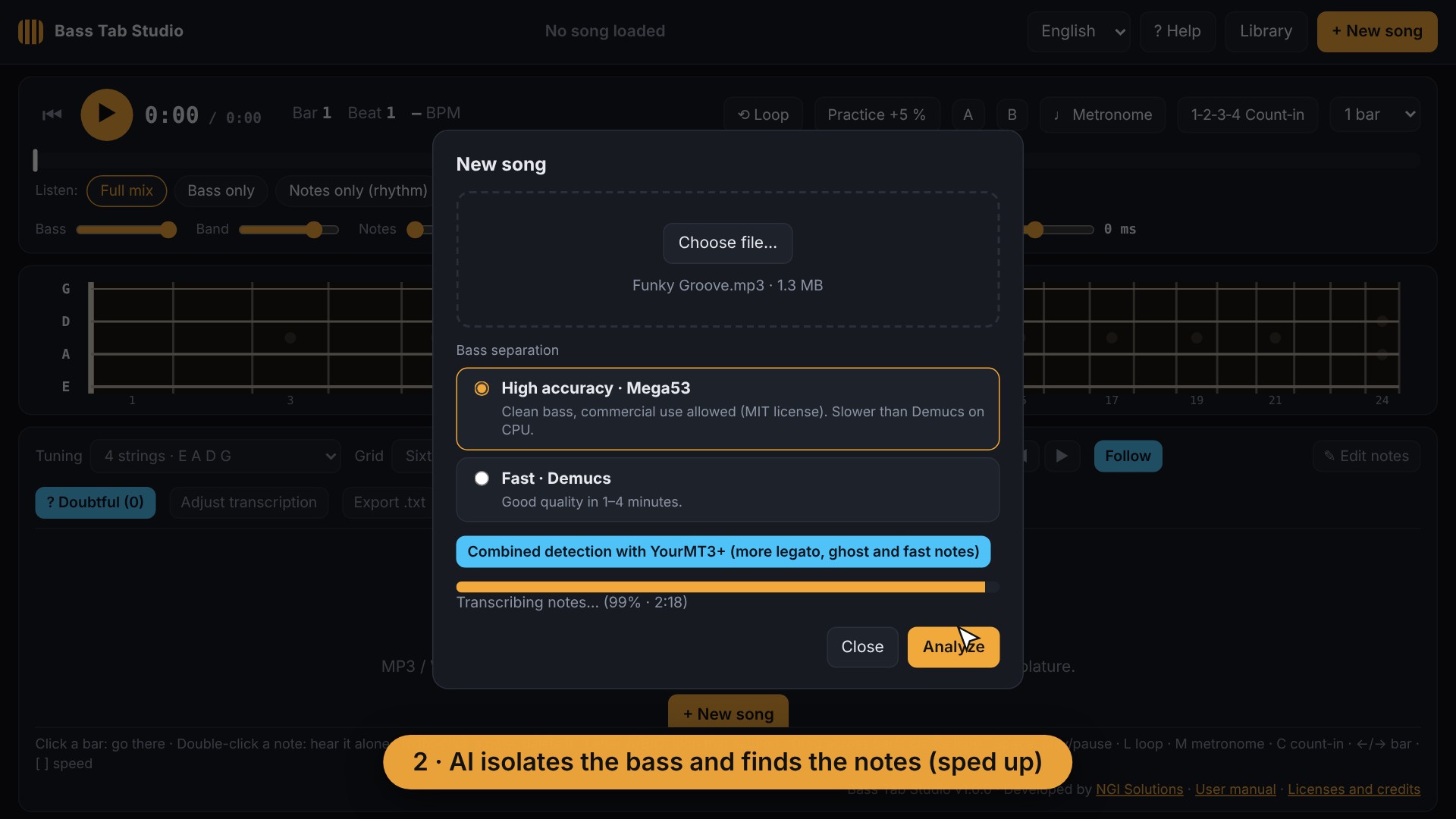
2. AI isolates the bass
It separates the bass from the rest of the band and recognizes every note, its rhythm and its bars.
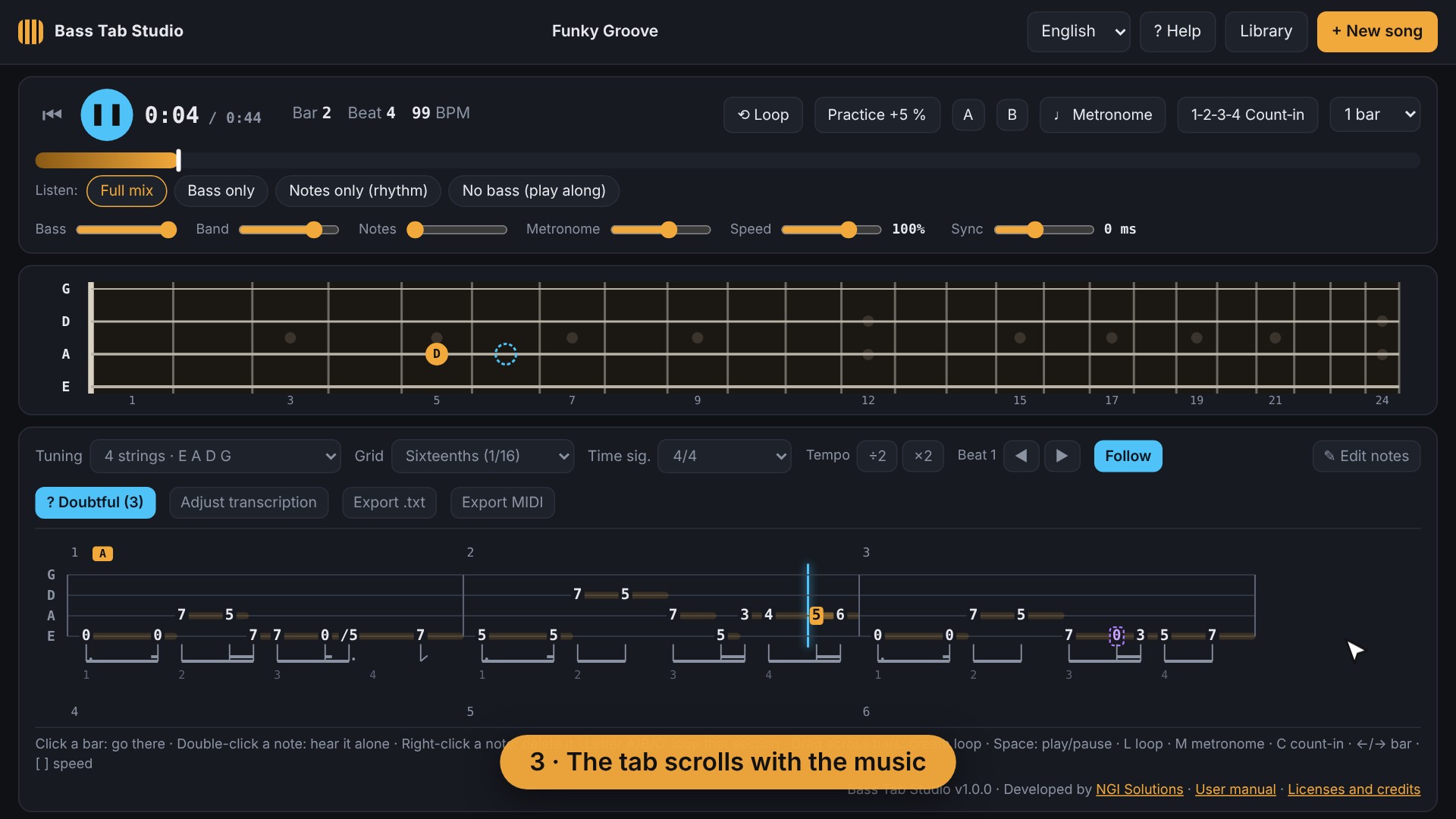
3. Practice with the tab
The tab scrolls with the music. Loop any part, slow it down and play along.
Everything you need to learn songs
🎧 Listen your way
Bass only, no bass so you can play along, or notes only to understand the rhythm.
🔁 Loop and speed
Loop any passage and slow it down to 40 % without changing the pitch. Practice mode raises the speed on every pass.
🥁 Metronome and count-in
Aligned with the song’s bars.
✏️ Edit the notes
Fix, add or move notes with the fretboard. Uncertain notes are highlighted so you can check them by ear.
📤 Export
To text for printing, or to MIDI for Guitar Pro, TuxGuitar, MuseScore or your DAW.
🔒 Everything on your PC
Your songs are never uploaded. 4, 5 or 6 strings and alternate tunings.
Price
US$15
One-time payment · lifetime license for 1 computer · updates included
Card or PayPal · 14-day money-back guarantee
Requirements
- Windows 10 or 11, 64-bit
- 8 GB of RAM (16 GB recommended)
- About 6 GB of free disk space
- Internet to install and activate the license
- NVIDIA graphics card optional: analysis is much faster
Frequently asked questions
How do I activate my license?
After buying you receive the key by email. Install the app, open it and paste the key in the license window.
Can I move it to another computer?
Yes. In the app go to License → Deactivate on this computer, then activate it on the new one.
Does it work offline?
Yes. It only needs Internet to install and to verify the license; it works up to 7 days in a row without a connection.
Is the tab perfect?
It is very accurate, but no AI is perfect: a note may be missing or extra. That’s why the app highlights uncertain notes and lets you fix them easily.
What if it doesn’t work for me?
You have a 14-day money-back guarantee. Write to us from Contact and we’ll help you.
Descargar
Instalador para Windows 10/11 (64 bits) · 59 MB · versión 1.0.0
Necesitas una licencia para usar la aplicación. El manual de uso está incluido (botón «? Ayuda» o tecla F1).
Download
Installer for Windows 10/11 (64-bit) · 59 MB · version 1.0.0
You need a license to use the app. The user manual is included («? Help» button or F1 key).
 Español
 English